Flask Client
The Flask-based web-client can either connect to a running server, or can be used to
launch servers with the various simulations. It uses Flask-SocketIO to communicate
with the user via JavaScript callbacks. The front-end is defined through the templates
templates/*.html which are coded in Jinja.
Structure
The Flask client is provided in the super_hydro.clients.flask module which
exports the following classes:
Flask Client.
The flask client runs a webserver on the client machine, and allows users to run a selection of models.
For more details see Flask Client.
Classes:
|
Encapsulates the Flask app. |
|
Flask-SocketIO Socket container for a model. |
Functions:
|
Run the Flask web framework. |
The super_hydro.clients.flask.FlaskClient provides the web framework, serving up
pages with different URLs. The browser interacts with this class using HTTP requests.
These are dispatched by applying the @route decorator to the appropriate class
methods. E.g. requesting /quit terminates the application by calling
super_hydro.clients.flask.FlaskClient.quit().
By following the appropriate URL, the browser can request for the framework to launch
and interact with the appropriate server. These servers are managed by the
super_hydro.clients.flask.ModelNamespace subclass of
flask_socketio.Namespace. This provides a bunch of Flask-SocketIO event
handlers that handle user interactions with the model, which are tightly coupled with
the JavaScript in the templates/model.html page.
Flask Framework
The Flask client framework (Flask) provides two primary functions: establish routing/rendering between the User Frontend Web Client (Web Client) and Computational server (Server), and mediating interaction and display data between the two.
Startup
The Flask module loads the configuration parameters, most notably the physics module containing intended simulation models (models). From this, it pulls the names of all classes/models contained within and stores them.
It then begins hosting the Client on the designated host IP and Port number,
using the Flask render_template() function with @APP.route() decorators
to manage HTTP routes to the landing page (index) or model page.
The model page routing is dynamically generated based on the chosen model,
which prevents the need for distinct routing for each model. Each model is
loaded into a template (model.html) HTML page and specified using Jinja2
variables.
Once the model page is loaded by a User, the Client requests startup information for the relevant model. This triggers Flask to either start a new Server instance for the relevant physics model, or update the User count for the currently running Server. If a new Server instance is required, Flask reads appropriate configuration options to either start a local Server thread or establishes a socket connection to a separate Server process.
When the Server is running, Flask then queries all current parameters and returns them to the model page for update and display.
The Flask startup then starts or connects the page to a pushing thread, which continuously queries the Server for relevant display animation information and passes it to the Client.
Routing and Rendering
The communication is linked to the Client via web sockets managed through eventlet, which is handled implicitly through calls and methods from Flask-SocketIO.
All communication between the Client and Server is handled through Flask
using the Flask-SocketIO Namespace Class ModelNamespace. The internal
methods receive Client data keyed to Client emit events with names
matching the appropriate on_ method name.
The Flask-SocketIO namespace (ModelNamespace) separates the models into
internal dict keys, which contain all relevant information for the
routing of a particular model: Model Name, User Count, Server.
Web socket communication between models is prevented by placing each into their own Flask-SocketIO Room within the socket Namespace; by tying the Room to the model class name, this allows generality and flexibility in the Room creation.
Communication
User interactions are read as inputs into Javscript and passed to Flask via the Javascript socket.io API, as provided by the Flask-SocketIO library. We used the Eventlet option for asynchronous communication.
Example
Consider the example of the user adjusting a regular linear slider such as the finger
position. The slider is initialized with <input ... onchange="setParam(...)"> tag in
the [model.html] template. This class the setParam() function in the
[app_func.js] file, which them uses socket.emit('set_param', ...) to call
super_hydro.clients.flask.ModelNamespace.on_set_param() which decodes the
parameter value and sends it to the computational server.
This uses a static namespace and uses emit() to pass the
Room name (model), the parameter/action being modified, and the new parameter value.
Flask recieves this information and passes it into appropriate Server calls, emitting Server return information (as appropriate).
Communication with the server is handled by an internal communication.py
script, allowing connection to either a locally started computational server
thread (Local) or establishing a socket connection to a separate running
server process via ZMQ.
HTML/JS User Interface
The User interface is displayed as HTML static pages generated from templates
using Jinja2. These are located in the templates/ directory in the top level of the
project.
Widgets are identified by their id which is usually the name of the corresponding
parameter in the python code, with an optional val_{id} element corresponding to the
displayed value. Interaction sliders/toggles are created based on a nested list
sliders that is required in each class method representing a physics model.
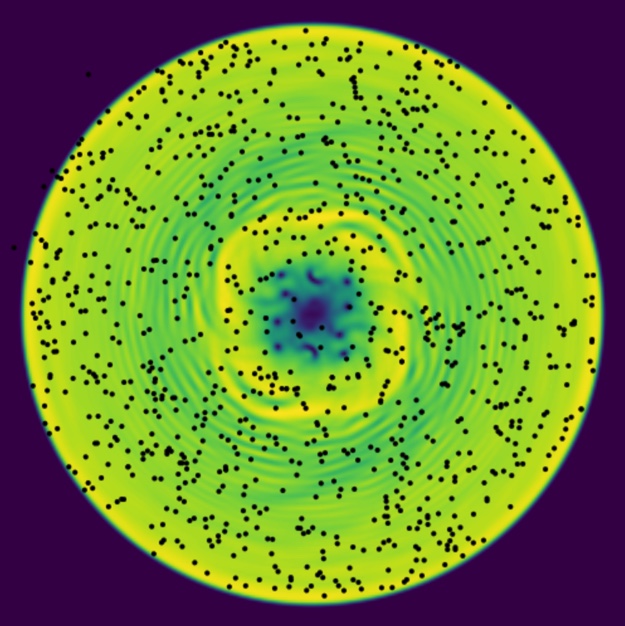
The remaining display area is filled by multiple HTML Canvas elements laid over each other. The lowest layer displays the color map conversion of the model density array. The top layer displays the finger potential current position (white circle) which is connected to the User placed finger (black dot) by a white line. These are both continuously updated by Flask’s background thread that continuously queries the Server for the needed information.
When another User changes a parameter value, this is passed to other users via Flask and updated appropriately. This allows multiple Users to actively interact with a single model and see the effects of other User inputs in real-time.
Flask Client
This client is structured to use Python backend and Javascript frontend to build an interactive web-based user interface, currently with a locally started computational server backend.
The Flask client currently loads user-defined models using the --model (short-
hand -mo) option with filename.
To run the Flask client:
Run the following terminal command:
python bin/client [OPTION]
Where the options are:
--model,-mo: Python script containing custom models to run. Default: gpe--host,-h: Host IP address. Default: 127.0.0.1--port,-p: Host access Port. Default: 5000
Code Structure
flask.py: Python-based backend and routing control of User client.base.html: Foundation HTML for page navigation formatting.index.html: Landing page for User interface.model.html: Model templating HTML file.app_func.js: javascript processing functions for User Interface.style.css: HTML/CSS formatting and styling file.
User-Defined Models
User defined models need to be organized into Python classes, with each class representing a single simulation model. Each class model needs the following:
An appropriate docstring, used by Flask Client to create the About info in the user interface.
A list named
slidersgiving the structure outline for each interactive element, with sub-elements:0: string; Title or ID of the interactive element (e.g. ‘cooling’)
1: string; Class of element, either ‘slider’ or ‘toggle’
2: string; Logarithmic declaration (slider only), ‘logarithmic’ or ‘None’
3: string; Type of element, either ‘range’ or ‘checkbox’
4: float; Minimum slider value (‘None’ for ‘checkbox’ Type)
5: float; Maximum slider value (‘None’ for ‘checkbox’ Type)
6: float; Slider step size (‘None’ for ‘checkbox’ Type)
Ex:
[['cooling', 'slider', 'logarithmic', 'range', -10, 1, 0.20]]will generate a logarithmic-scale interactive slider named ‘cooling’.
There are five (5) required class methods (NEEDS REVIEW):
get_density()to return the density array (display visualization)get_trace_particles()returns a list of tracer particle positionsget(param)to return a specified parameter, called by serverset(param, value)sets a specified parameter, called by serverstep(N, tracer_particles)will step the simulation N steps.
Flask Communication Overview
The Flask client loads in the appropriate model (User defined or default) and
reads the class names into a list (clsmembers). Once complete, and the Flask
socketio.run() command is called, Flask creates an HTTP hosting framework on the
configured host ip address and port where it routes by default to the landing
page, identified by the decorator @APP.route('/') over the function index().
The index() route use the built-in Flask commands to render index.html, which
builds upon base.html which contains the navigation bar and general use APIs
for CSS and Javascript.
On the rendered HTML page, the drop down navigation bar will list all found
elements of clsmembers; each is used as an input variable to the dynamic Flask
HTTP route @APP.route('/<cls>') to initiate the modelpage(cls) function,
which then uses Flask’s render_template to generate the model.html template
file, using getattr() to pull the specified class object for reading the
docstring (info), interactive slider/checkbox formatting (slider) and to
identify the Namespace Room unique to the directed model.
The model page itself (model.html) is a template HTML file using Javascript
(more in-depth Javascript functions relegated to automatically loaded
static/js/app_func.js) with a static green Websocket Namespace via socket.io,
designated as /modelpage, with the Room within this Namespace as a
render_template input variable, {{ model }}. The sliders are generated on page
load by reading the elements of the {{ sliders }} list. Format of this list
stated above in User Defined Models.
On render of the model page, it uses Javscript socket.io Websocket communication
to attempt connection with the Flask-SocketIO Namespace. The Namespace directs
send/receive websocket method calls within either the rendered page or
flask.py on_<event> and emit('event') communication structure.
Inside this static Websocket Namespace each uniquely rendered page (e.g. a page
rendered for differing models), it is joined to a Room within the Namespace to
prevent cross communication between models.
After verifying client connection (maintained by continuous pings), the model
page sends a request to start server communication. This is received in the
Flask Websocket Namespace, which then check if the Room (model) currently has a
running local computational server (LCS). If not, it loads and starts a LCS for
the specific model, sets the user count appropriately (number of users viewing
a particular model), and initiates a background thread (push_thread())
to continuously queue the LCS for density arrays and finger potential strength
and position.
Other user-side interactions (slider movement, finger positioning, Start/Pause/
Restart) are managed through the websocket emit(event) and on_<event>
calls. These calls are received by Flask, filtered into the appropriate Room in
the Websocket Namespace to ensure correct LCS communication.
The LCS is stored as an object within a particular model Room (on backend side). Communication/querying is handled as direct method calls. There is currently no support for remote server connection/communication (for example, via PyZMQ contexts).
For the overview of communication between Client Frontend and Backend, the
Frontend emits User interactions, specifying parameter changed and its new value.
This is caught by the Flask-SocketIO Namespace class and transferred to the
appropriate Room (as stated by the transmitted data), where it is then input
into that model’s Server instance through set(param, value) internal methods.
The Flask client Backend has two returns: initial state and continuously queried
state information (density array rgba values and finger potential information).
The initial state is sent (via Websocket emit) to the model page to set the
user interaction slider/toggle initial values/states during the initial page
load. The continuously queried state information is pushed through the
push_thread() attached to the particular model Room and is read by the
Javascript socket.io for display updating.
Flask Communication Schema
:mod:
super_hydro.clients.flaskload w/ configuration optionsflask.socketio.run() starts Flask routing framework w/ eventlet socket handling (implicit)
HTTP Routes (
@APP.route()decorator):index/landing page
reads class list for dynamic model page routing navigation bar
model page
Flask sends model class, docstring, and class.sliders data to model.html
model class attributed to websocket Room name within Namespace
docstring loaded for model page About info hover
class.sliders read into jinja2 to generate HTML sliders/checkboxes for user interaction.
Client frontend communication handled by JavaScript socket.io API
static Namespace
/modelpage
Flask-SocketIO:
Client backend communication handler for socket Namespace
/modelpageNamespace interacts with
ModelNamespace()class methodsAll methods are tied to Flask-SocketIO Rooms:
Rooms are enclosed subsets of the Socket Namespace
connect()anddisconnect()uses socket pinging to track users and maintain socket connectionstart_srv()checks Local Computational Server (LCS) statusStarts LCS for specified model (from model page) if needed
Joins user to model Room and updates Room user count
Queries LCS for current model state data (slider positions/values)
Emitted via eventlet green socket to model page,
init
Starts background thread to continuously query LCS for rgba array, finger potential strength, finger potential position.
Emitted via eventlet green socket to model page,
ret_array
Receives User interactions within a given Room via eventlet green sockets
on_set_param,on_set_log_param,on_do_action,on_fingerReceive user interactions from Javascript socket.io to Flask-SocketIO via eventlet green sockets
Pass interaction values to LCS for a given model Room
on_user_exitUpdates Room User count when received from JavaScript socket.io
Shuts down Room LCS if Room is empty.
HTML/Jinja2/JavaScript socket.io
base.htmlBasic HTML framework, contains Navigation bar
Receives model class list to generate Navigation bar in Jinja2
index.htmlSimple landing page for Flask Routing services on intial startup.
model.htmlJinja2:
receives class name, docstring, sliders list, model classes list to populate/generate page About info, Navigation bar, interaction sliders
JavaScript socket.io:
establishes web socket namespace (‘/modelpage’) and stores Room name
begins sending socket pings to establish socket connection
socket is handled via eventlet green web socket handler
Emits
start_srvdata:model/Room name
Initial display parameters are requested (density rgba array, finger potential, finger potential position)
Initial parameters received by
init
User interaction functions (
SetParam(),SetLogParam, etc) are communicated via eventlet green socket handler to Flask-SocketIO Namespace class.JavaScript functions are contained in
static/js/app_func.js
On Navigation away from model page, emits
user_exitto Flask
HTML
Uses stacked HTML5 Canvas containers for model animation display area
CHECKING FRAMERATE PERFORMANCE WITH FLASK
There are two primary methods of looking at the framerate performance of the Flask client during operation: local and network.
Local involves running the Flask client with a local computational thread and viewing the framerate for a running model. The default is to look at the BEC model of the gpe.py file, since this doesn’t require manual loading of a custom file (such as modeltest.py).
Network involves running the Flask client with the configuration option
--network True argument, then starting a computational server process either
locally on the same machine or remotely (such as via Swan). This will only load
the gpe.py model BEC by default.
The configuration options are given below:
For local:
* python bin/client --steps # --Nx # --Ny #
* (optional) --tracers True to display tracer particles, with an
approximate factor of 2 reduction in performance.
For network:
* python bin/client --port 27000 --network True
* (optional) --tracers True to display tracer particles, with an
approximate factor of 2 reduction in performance
* python bin/server --steps # --Nx # --Ny #
Description of options:
* `--steps`, int, determines number of integration steps calculated
* `--Nx/--Ny`, int, determines x/y size of density/tracer arrays
* `--tracers`, bool, queues and displays tracer array particles
* `--network`, bool, establishes ZMQ socket remote communication
* `--port`, int, sets Flask client port number
	* Needed during `--network True` to not override ZMQ port
Once the client is running, there are two framerate information displays: in the client itself, and in the console.
The client framerate information tracks total transfer time, from queueing the computational server, retrieval of information, transfer to client, and display.
The console framerate information tracks backend transfer time, from queueing the computational server, retrieval of information, and transfer to the client.
There has been negligible observed difference between the average of either measurement.
To gain a good estimation of the framerate, start the client in the appropriate configuration and allow 20 to 30 seconds for the framerate to stabilize.
NOTE: There is not currently a more time efficient method of checking the framerate of varying Nxy or step sizes than starting and stopping the client while manually changing the configuration options for each test.
[model.html]: <file://…/templates/model.html>
[app_func.js]: <file://…/static/js/app_func.js>